How to set up online bookings for a repair shop
If a customer has to phone you three times to drop off a broken device, they'll think twice before coming back.
The booking problem in a repair shop isn't complicated. Customers want to tell you what's broken before they drive across town, and you want that in writing before they arrive. The hard part is finding a system that fits how a repair shop actually works without paying for a dozen features you'll never touch.
Why most booking tools don't fit repair shops
The booking software market is dominated by tools built for salons, gyms and dentists. They're slot-based. A customer books "10am Tuesday", that slot's gone, confirmation emails go out, reminders ping two hours before. The whole thing assumes timed appointments, one person at a time.
A repair shop doesn't work like that.
You're not booking appointments. You're taking in devices. Someone drops something off, you look at it, you call them with a quote, they agree, you fix it. The timeline is driven by the fault, not by a calendar slot. A disc drive swap might take two hours. A board rework might take three days. Nobody can predict that at the point of booking.
Squeeze that workflow into a salon booking tool and you get a mess. Customers book "slots" that don't mean anything to you. You get apparent double-bookings on drop-offs that aren't really conflicts. The confirmation email says "your appointment is at 3pm" when really they're just handing you a device. And you're paying for the privilege of explaining to every customer that the appointment time isn't when their repair starts.
The software isn't bad. It's just built for a different kind of business.
What you actually need from a booking flow
Strip it back. Before a device comes through the door, you want to know:
- What device is it, and what model?
- What's the fault or symptom?
- The customer's name and contact number
- Whether they want a quote approved before you proceed
That's the intake. Everything else — assigning a technician, tracking parts, sending the invoice — happens once the device is on the bench. A booking system that captures this cleanly and puts it somewhere you can act on is worth having. One that captures it and dumps it in a separate calendar app you have to check is just extra admin.
The free options (and their catches)
WhatsApp Business auto-reply is the simplest starting point. Set a greeting message asking customers to send the device type and fault before dropping off. They're already on WhatsApp, so there's no friction on their side, and you get it in writing. Zero cost.
The catch: it's unstructured. Some will send a voice note. Some will just say "my device is broken". You'll spend time chasing the details you need, there's no template forcing the right fields, and there's no connection to your job tracking. You copy everything over by hand.
Google Forms is a free upgrade that buys you structure. Build a short form — device type, model, fault, contact number, preferred drop-off window — and put the link on your website, in your WhatsApp bio and on your Facebook page. Responses land in a Google Sheet you review each morning.
The catch: you're still in two systems. The Sheet and your job cards are separate. If you want form responses to create tickets automatically you need something like Zapier — another subscription, another thing to break.
Calendly's free tier works if you genuinely want time-slot booking. Set your available hours, customers pick a slot, you get a notification. Fine for smaller shops that want to cap how many drop-offs land on a given day.
The catch: the slot-based model fights your natural workflow, and the free tier is deliberately limited — check the current limits against what you actually need before you build a process on it.
When you start paying for generic tools
Once you're on a paid tier of a booking tool that wasn't built for repair shops, you're typically looking at:
- Per-user pricing, so adding a second technician adds to the monthly cost
- Features you'll never use — gift cards, package deals, deposits at time of booking
- No connection to your repair tickets, parts, or customer history
- Customer-facing pages that say "Book your appointment" when what you mean is "Drop off your device"
The frustration people describe is that they're paying a subscription to manage the workaround rather than the actual workflow. You end up maintaining a calendar in one place and a job tracker in another, and the two never quite match.
The repair-native approach
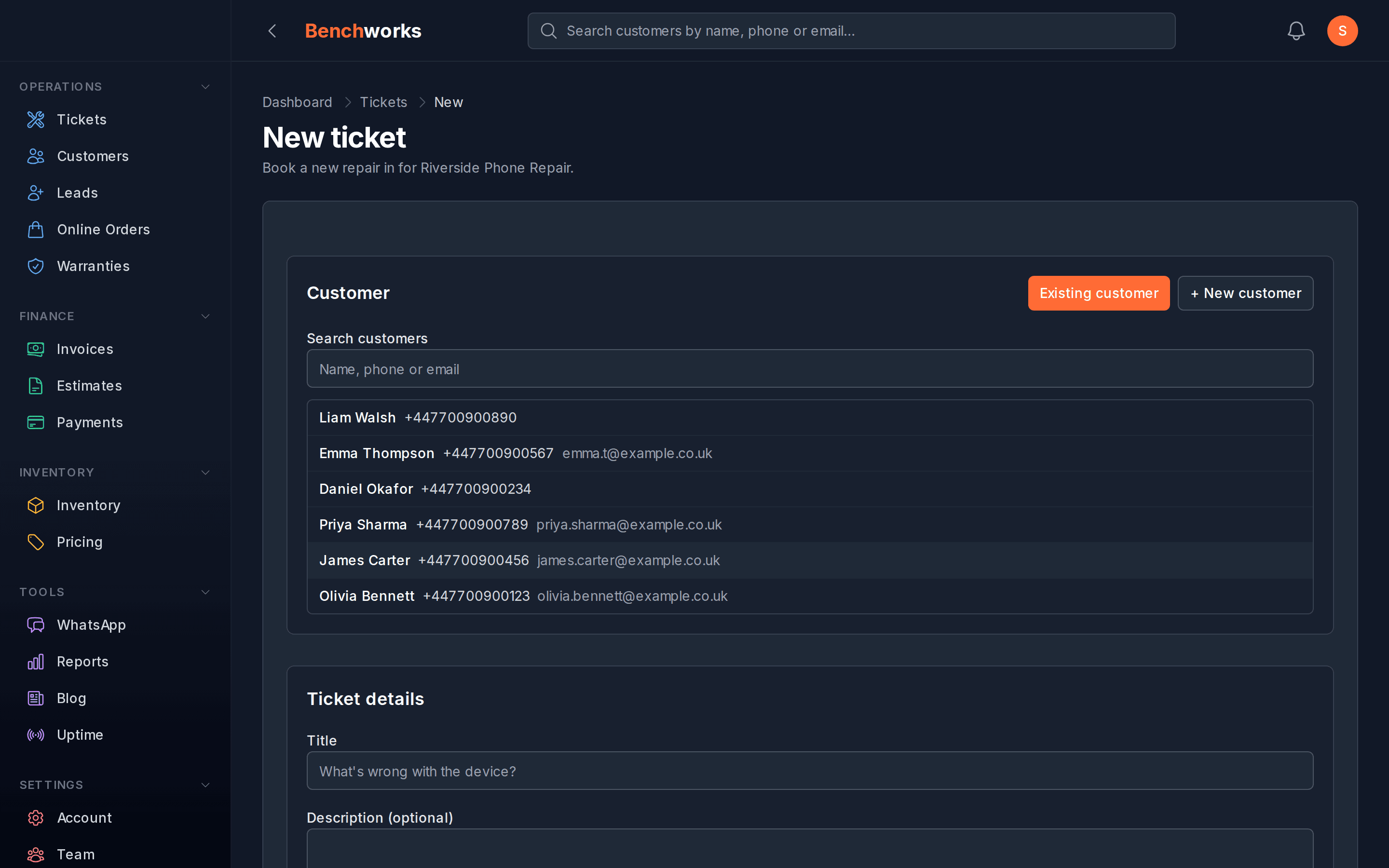
Some shop management software handles intake itself, so the form feeds straight into your job queue — no copying, no double entry, no reconciling two systems at the end of the day.
There are really two intake moments to cover, and they're different:
The walk-in. Someone's standing at your counter. What you want is a tablet on that counter they can fill in themselves — their details, the device, the fault, and a tick on your terms — while you deal with the person behind them. In Benchworks that's the check-in screen: it looks up returning customers by phone number so they skip straight past the details step, and it creates the ticket and fires the "we've got it" message the moment they finish.
The returning customer at home. Someone you've dealt with before wants to send another device in. They sign in to their portal with a six-digit code, fill in the device and fault, and choose whether they're dropping it off or need it collected. That creates a ticket on your board immediately — you can see it, assign it and add notes before the device has left their house.
Worth being straight about the limit: that second flow is for customers already in your book, not a stranger who found you on Google. For brand-new enquiries, the honest answer today is still WhatsApp or your contact form, then the counter tablet when they arrive.
The framing across both is "tell us what's broken and we'll take it from there" rather than "book an appointment at a time". That's a more honest description of how a repair shop actually works.
Picking the right option for your shop
Solo and just getting started: WhatsApp Business with a clear intake message is fine. Keep the overhead low. Get volume through the door before you invest in a system.
More than ten devices a week and losing track of intake details: Google Forms into a Sheet gives you structure for free. Set a standard form, put the link everywhere, check it each morning.
You want intake to feed your job tracking automatically: you need software that connects the two — either a booking tool with a real integration to your ticketing, or shop software that does both in one place. Stitching them together with a third tool adds complexity and another failure point.
Per-technician pricing is eating your margin: audit this before your next renewal. Once you've got two or three people on the tools, per-seat costs add up fast. A flat monthly fee for the whole shop is a much better structure for a growing team.
A note on taking deposits at booking
A lot of booking tools push you to collect a deposit upfront to reduce no-shows.
For repair shops this gets complicated fast. You usually don't know the final cost until you've looked at the device. Taking a deposit before you've quoted means charging for something you haven't scoped. Do you charge the bench fee? A percentage of a guess? Both are awkward to explain.
If no-shows are genuinely costing you — especially on high-value jobs where you'd be holding parts you can't return — a deposit makes sense. If most of your customers are reliable and drop-offs happen without drama, payment at booking adds friction for no real benefit. Start without it and add it only if the numbers say otherwise.
The bottom line
You don't need a complex booking system. You need a way for customers to tell you what's broken before they arrive, and a way for that to land somewhere you can act on directly.
Start with what costs nothing. Upgrade when the manual copying becomes the bottleneck. And be sceptical of anything that charges per technician for a workflow that still doesn't connect to your job tracking.
If you want to see how Benchworks handles intake — counter tablet for walk-ins, portal booking for returning customers, automatic ticket creation and customer updates either way — sign up. No card, no lock-in, and the pricing is one number.