I want to move a ticket through its statuses
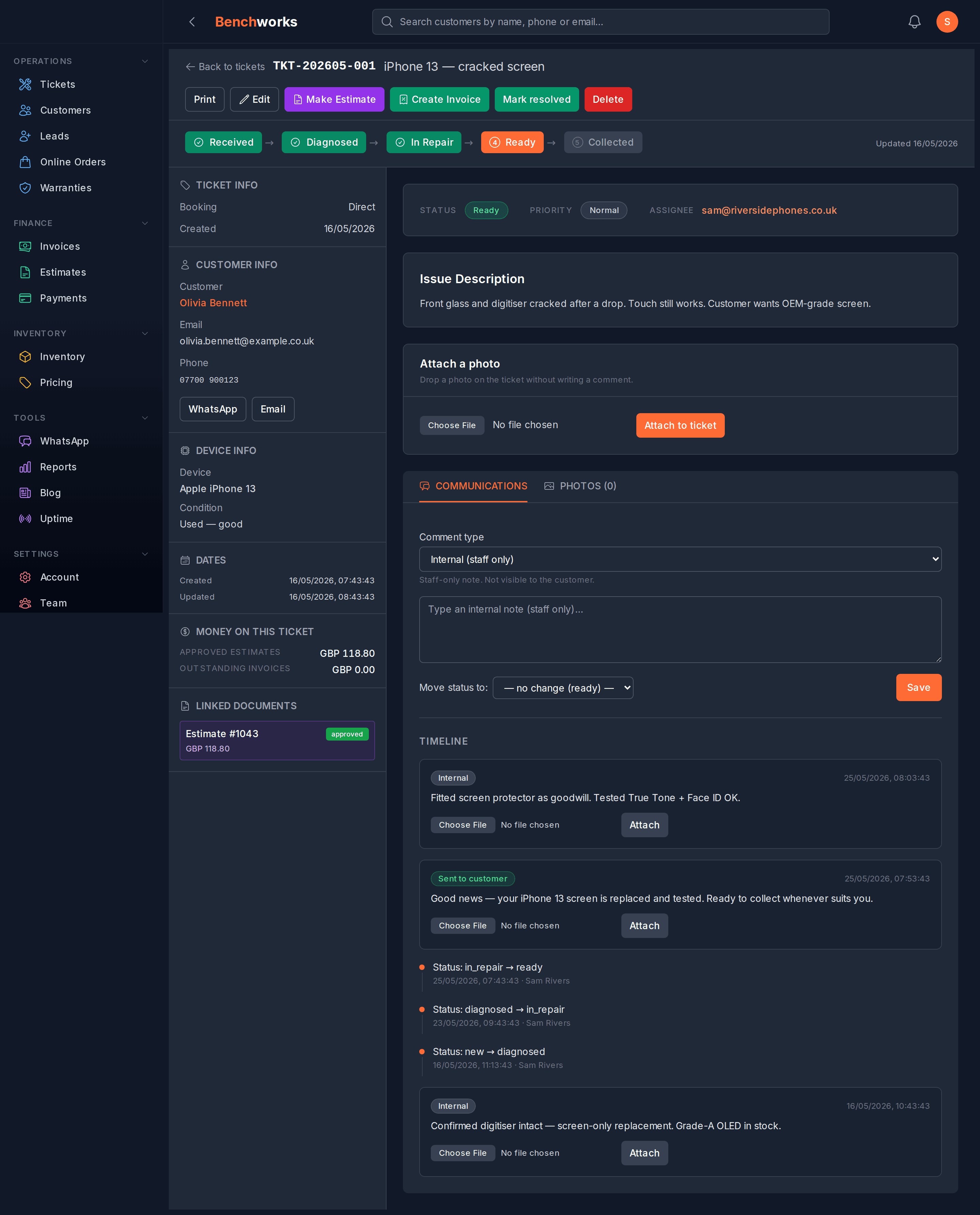
Status dropdown on the ticket page. Or comment-with-status. Or bulk it.
The simple way
Open the ticket. There’s a status dropdown at the top — click it, pick the new status. That’s it. The customer gets a WhatsApp message if the status you picked has a customer-visible note attached.
Default statuses are New, In progress, Awaiting parts, Awaiting customer, Ready for collection, Collected, Cancelled. You can rename them or change their colours in Settings → Ticket statuses.
Comment-with-status (the one-save UX win)
On the ticket page there’s a comment box with a status dropdown next to it. Type a comment — "Replaced HDMI port, tested clean" — tick "Customer visible" if you want them to see it, pick the new status from the dropdown, hit Save. One click writes the note, flips the status, and fires the WhatsApp message in the right order.
This is the move you’ll use most often. Don’t flip status separately from leaving a note — do them together.
Bulk actions from the inbox
Sidebar → Tickets. Tick the boxes next to multiple tickets. A sticky bar appears at the bottom with bulk options.
- Change status — Ready for collection, or Close. The "Notify customers on close" tick sends a WhatsApp to every customer in the selection.
- Send WhatsApp — bulk free-text message. Owner / admin only. Useful for "we’re closed Friday for a public holiday" announcements.
- Cancel — owner / admin only, with a confirm step. Cancelled tickets stay in the audit log.
Mark resolved (one click)
When a ticket hits "Ready for collection", a "Mark resolved" button appears on the detail page. Click it once when the customer picks the device up. Closes the ticket cleanly and records the collection time.